
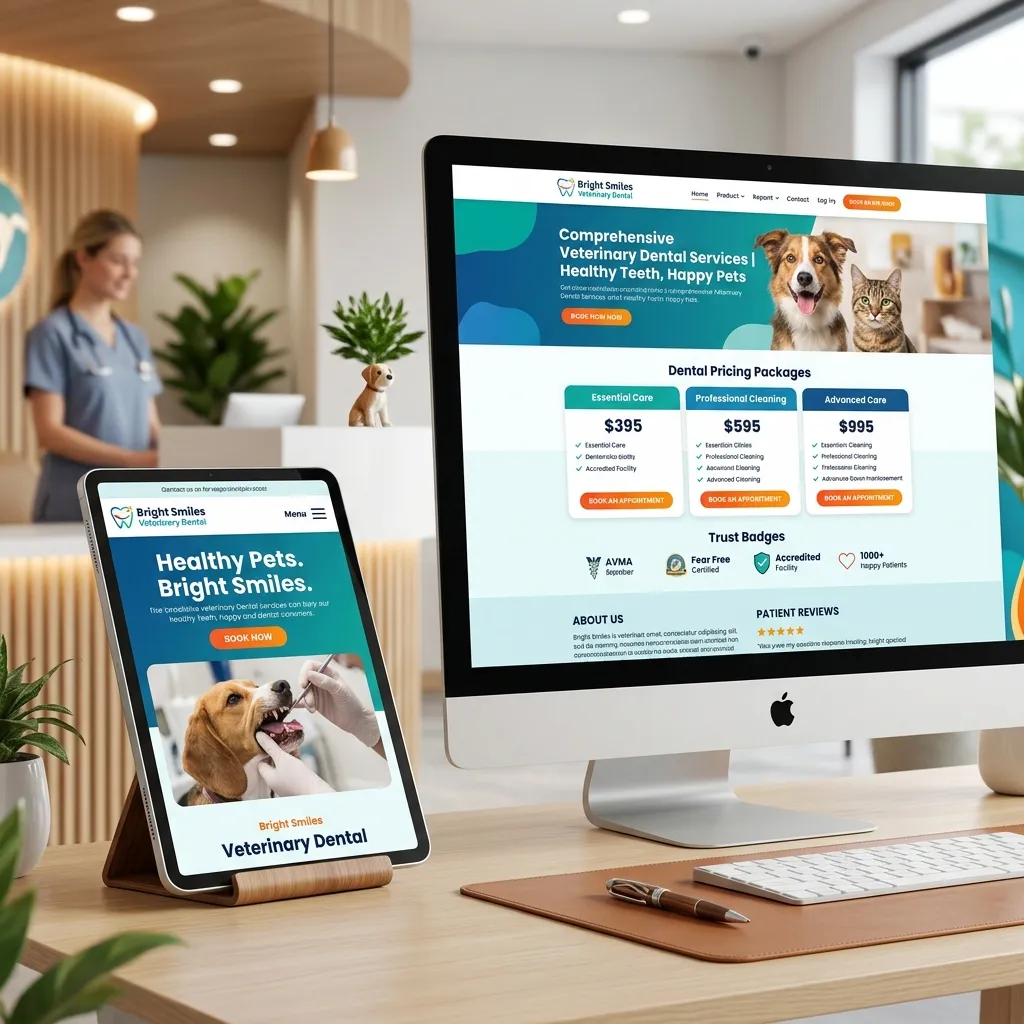
If you look at ten different veterinary clinic websites, you will likely see the exact same thing on their dental pages: a single paragraph explaining that pets get tartar, that bad breath is bad, and a basic line urging owners to “call us to book a dental cleaning.”
The Anatomy of a High-Converting Dental Page
A high-performing service page is structured logically to guide the user from interest, to reassurance, to financial comfort, and finally to scheduling. Each section must solve a specific concern or objection the pet owner has.
1. The Hero Section (Above the Fold)
The first thing a visitor sees must capture their attention and clarify your value. Your headline should focus on the outcome—a pain-free, healthy life for their pet—rather than just the clinical service.
Provide a clear subheadline and a primary Call to Action (CTA) button, such as “Book a Dental Assessment.” Place a secondary link for owners who are still researching, like “Learn About Our Safety Standards.”
Headline:“Healthy Teeth, Happy Pets: Safe Veterinary Dental Cleaning in [City]”
Subheadline:“Protect your dog or cat from chronic tooth pain and infections with our high-standard, anesthesia-monitored dental cleanings.”
CTA: [Request an Appointment] or [Call Us: (555) 123-4567]
2. The Anesthesia Safety & Trust Section
Address the pet parent's biggest objection immediately: fear of anesthesia. Dedicate a prominent section of the page to explaining your clinic's strict safety standards.
Avoid highly technical jargon; instead, explain it empathetically. Use bullet points to highlight that a dedicated technician monitors vitals, that you use multi-parameter monitoring equipment (EKG, blood pressure, oxygen levels), and that you perform pre-anesthetic blood screening to verify the pet is a safe candidate.
3. Package Details & Pricing Transparency
Break down your dental offerings into clear, bundled packages rather than itemized invoice sheets. This prevents sticker shock and clarifies exactly what the owner is paying for.
Make it clear that essentials like full-mouth digital X-rays are built into your pricing. If you offer payment plans through CareCredit or Scratchpay, display those options here to reduce financial friction.
4. The Patient FAQ Section
Proactively answer the questions your reception desk receives every day. By answering these questions on the page, you reduce call volumes, save staff time, and build immediate clinical authority.
- Why is anesthesia necessary? Explain that cosmetic, non-anesthetic dental cleaning cannot detect root decay or clean below the gumline where 80% of dental disease hides.
- How long does recovery take? Reassure them that most pets wake up quickly and are ready to eat soft food the same evening.
- What if my pet needs extractions? Detail that extractions are only performed to relieve pain and that you always contact the owner before proceeding.
VetGuider designs premium, high-converting veterinary websites and landing pages that showcase your clinical standards and keep your surgery calendar full.
See Website Templates